Getting started
Introduction
Run multiple copies of your project at once, each with its own local HTTPS address.
Installation
Install Rift with Homebrew or from a release binary, and check what your machine needs.
Quick start
Configure a project, connect it to the router and run a second branch beside it.
Configuration
Adapt rift.yaml to your project: ports, hostnames, .env values and hooks.
Contributing
Set up a development environment and learn how Rift is built and released.
What Rift is
Rift is a command-line tool for projects using Docker Compose (opens in a new tab) or Laravel Sail (opens in a new tab). It gives each Git worktree (opens in a new tab) its own containers, manages configurable host ports, and serves your apps through one shared HTTPS router.
Let multiple AI agents work on different features or versions of your project in parallel, with a running app for each one that you can open and review, and watch them all from one dashboard.
Why use Rift?
A branch tracks a line of development. A Git worktree is a separate working directory that can have its own branch checked out, so you can work on several branches without interrupting your current work. Running those copies of an app often means conflicting ports and manual environment changes.
Rift handles that setup: give each AI agent a worktree to develop a feature, fix a bug, or try an alternative implementation, then run their apps side by side. It works just as well for your own development and pull request reviews:
| Working directory | Local address |
|---|---|
myapp/ | https://myapp.test |
myapp-search/ | https://search.myapp.test |
myapp-checkout/ | https://checkout.myapp.test |
- Run AI agents in parallel. Give each one its own app environment to work with.
- Run project versions side by side. Start or stop one without stopping the others.
- Keep your existing workflow. Rift works with your Docker Compose or Laravel Sail setup.
- Use HTTPS locally. One Caddy (opens in a new tab) router serves all your projects and worktrees.
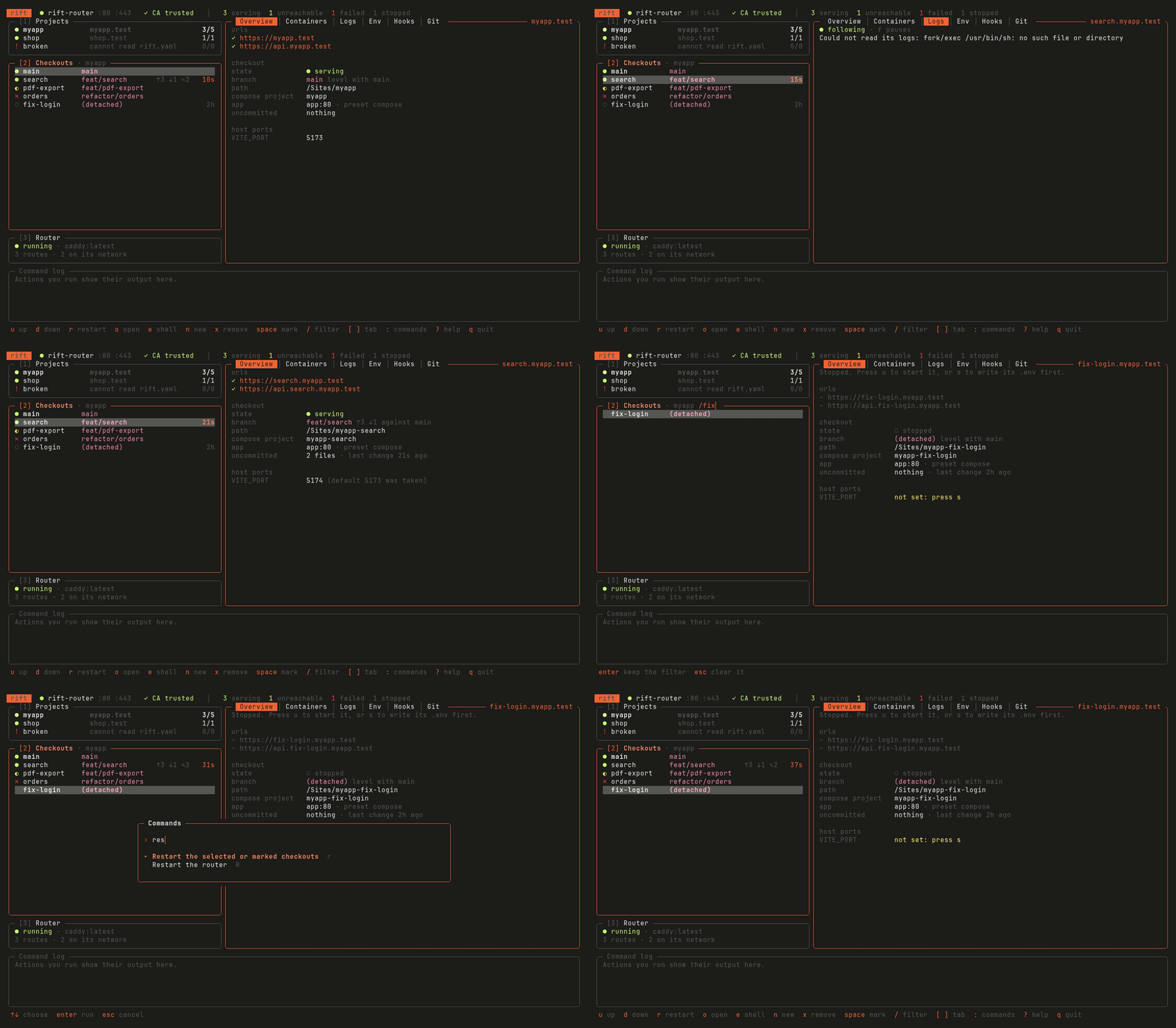
- See every copy at once.
rift dashshows which apps are serving, what each agent has changed and how recently, and starts, stops or opens any of them.
How it works
Rift reads one file per project, rift.yaml, and derives everything else from the directory you run it in:
- A name per worktree. The main checkout is served at your base domain, such as
myapp.test. A worktree is served at a subdomain named after its directory, somyapp-search/becomessearch.myapp.test. - Its own containers. Each worktree gets its own Docker Compose project name, so its containers never collide with a sibling's.
- Its own ports. Rift writes free host ports into each worktree's
.env, which Docker Compose already reads. Rift never rewrites your Compose files. - One router. A single Caddy container routes every domain on your machine to the right app, with certificates from a local certificate authority your system trusts.
Ready to try it? Start with Installation.
Licence
Rift is open source under the MIT licence. Its source code is on GitHub (opens in a new tab).